
Contents13
- The verdict — the best “first step up” if you want size options
- Build — a mid-height ergonomic shape
- What worked — grip and side buttons that punch above the price
- A grip designed to be held
- Side buttons make “back” a one-finger action
- S / M / L sizing
- About 87 g without the battery
- What didn’t — the Bluetooth-only trade-off
- Pickup delay when resuming from sleep
- Modest button-remapping software
- Comparison — where it sits against the same and higher tiers
- FAQ
- Verdict — a fitting upgrade for your first “real” mouse
2026 update: Ported from the old VuePress blog. The M-XGL10BBBK is still in circulation as a current budget Bluetooth mouse in 2026. The review angles here (size options, grip comfort, wireless stability) still apply. Spec values quoted are the manufacturer’s figures from the time of writing, so check the latest product page before buying.
I used the Elecom EX-G Bluetooth M-XGL10BBBK at work for about a year. This is a review combining what it felt like then with a 2026 re-read of the same points.
In the “I don’t want to spend much on a mouse, but I do want to graduate from the one that came in the box” price band, this is the model where the grip difference is most obvious. Being able to pick S, M, or L is also rare at this price.
The verdict — the best “first step up” if you want size options
Short answer: if you’re moving up from a bundled cheap mouse, this is the one in its price band where the difference in grip is most clearly felt. The S/M/L sizing makes it easy to recommend to people with smaller hands too.
The reason is that the ergonomic shape and the side buttons are both there — you can feel the design intent in your fingers the moment you pick it up. Coming from a generic bundled mouse, the way your hand stiffens during long sessions visibly improves.
That said, look elsewhere if any of the following apply:
- You prioritize wireless stability: it is Bluetooth-only, so it will not be as steady as a USB-receiver model
- You want fine button customization: the bundled software is more modest than the Logicool Options family
- Gaming use: response speed and sensor performance are tuned for office work
Build — a mid-height ergonomic shape
Short answer: a shape that sits between flat mice and tall sculpted mice. An asymmetric design that drops away on the right-click side, made to be palmed rather than clawed.
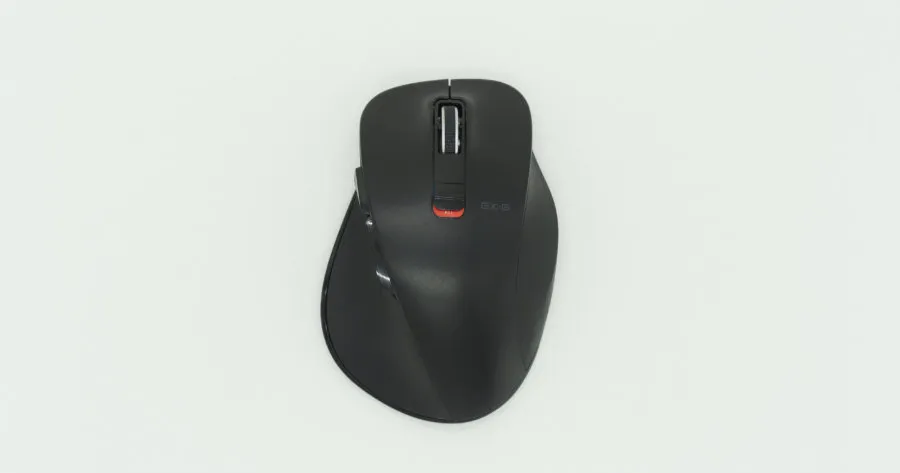
The shape from above. Photographed in L size. You pick S, M, or L to match your hand.
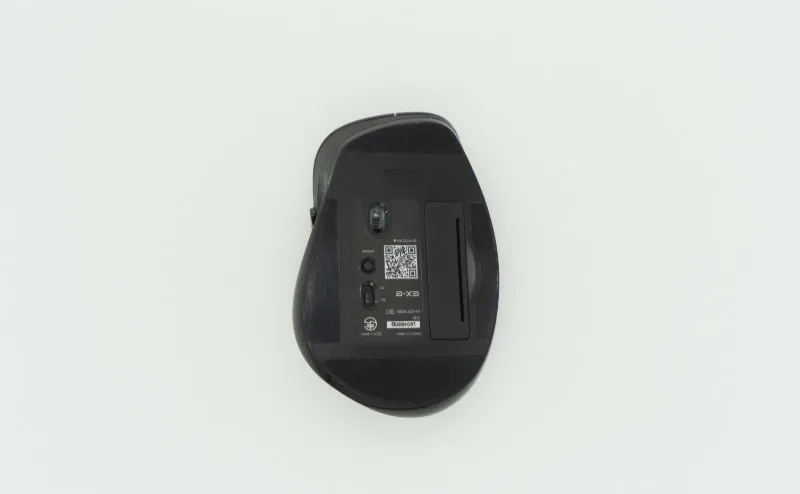
The underside holds the power switch, pairing button, and battery cover. It runs on a single AA cell, and the manufacturer’s rated battery life is about 402 days (check the latest spec before buying).
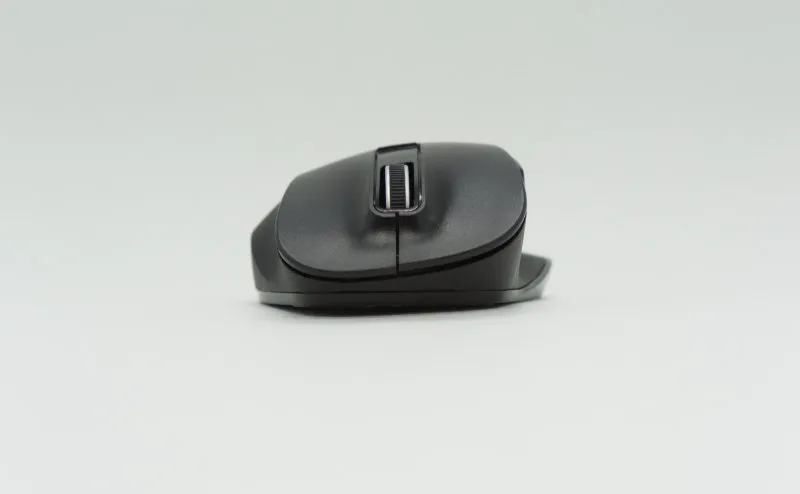
Seen from the front, the right-click side drops away noticeably. Not flat, not fully sculpted — a mid-height ergonomic shape.
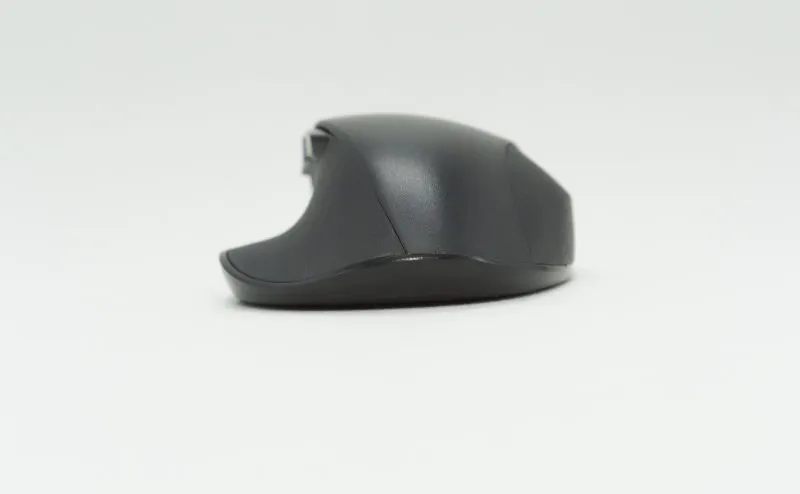
From the back. The hump is modest — it sits in your whole palm. If you only ever claw-grip, the MX Master family will suit you better.
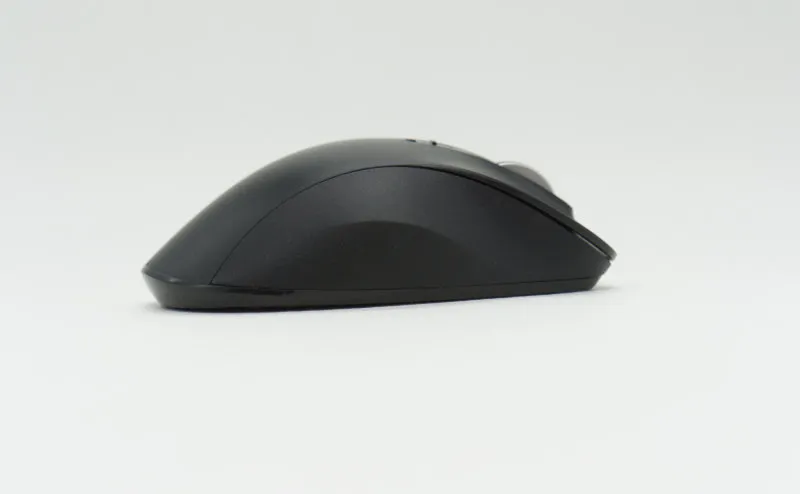
The right flank is wrapped in rubber, and the ring and little fingers stop there without sliding. Even with sweaty hands during long sessions, it does not slip.
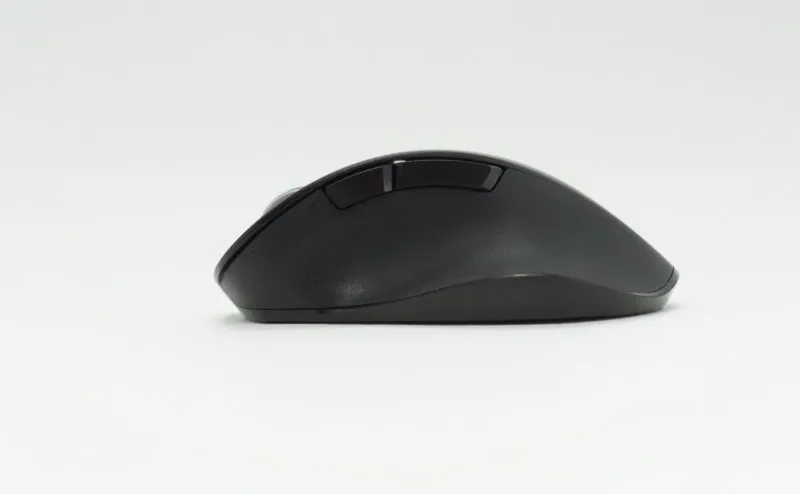
The left flank has a thumb rest and two side buttons. The thumb area is shaped with a gentle convex curve that matches the natural shape of the thumb, so the thumb settles there without thinking about it.
What worked — grip and side buttons that punch above the price
Short answer: a deliberate grip, side buttons, S/M/L sizing, and a light weight. The basics of a budget mouse, all present.
A grip designed to be held
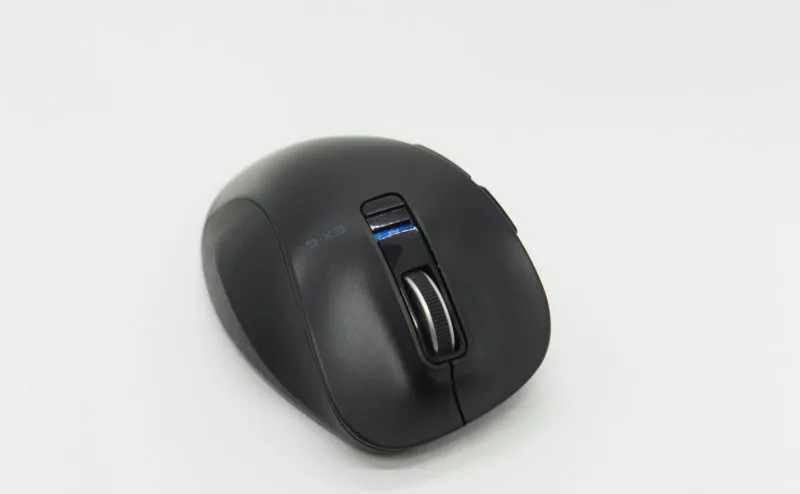
The defining trait of this mouse is that it pushes its budget into the way it feels in the hand.
Moving over from a bundled mouse or a thousand-yen plain one, the difference is obvious the moment you pick it up. The rubber on the right flank, the convex thumb rest, the drop on the right-click side — none of them look dramatic on their own, but together they change how your hand feels at the end of a long day.
Side buttons make “back” a one-finger action
Side buttons connect directly to workflow.
The main use is browser back/forward. Web browsing, file managers, IDEs — all of them rely on it constantly, so having the buttons or not having them is a real gap. That alone is enough reason to leave a bundled mouse behind.
S / M / L sizing
Rare in this price band: three sizes to pick from.
L suits adult-male-sized hands, S works for children and smaller hands, M sits in between. A mouse that does not fit your hand will tire you out no matter how much it cost, so size choices at this price are quietly useful.
About 87 g without the battery
The rated weight is about 87 g without the battery.
A mouse over 100 g changes how tired your arm gets across a full day, so for office work, light is right. Even with a AA inserted it lands on the lighter side by feel.
What didn’t — the Bluetooth-only trade-off
Short answer: connection is Bluetooth-only, so the wireless link is less stable than a USB-receiver model. The lag right after waking from sleep is the most common case.
Pickup delay when resuming from sleep
The biggest complaint.
For the first few seconds after the PC wakes, the mouse sometimes does not respond. That is a Bluetooth-general behavior rather than a specific defect of this mouse, but coming from a USB-receiver model you will notice it.
If you sleep and resume often (a laptop-and-dock setup, for example), it is safer to also consider models that ship with a USB receiver, such as the Logicool Unifying-compatible ones.
Modest button-remapping software
It cannot do the fine-grained gestures the Logicool Options family allows. If you want to map the side buttons to anything beyond simple back/forward, you will end up leaning on a third-party Windows utility.
That said, the basics (DPI, button presses) work reliably, so for office use without elaborate remapping, there is no real inconvenience.
Comparison — where it sits against the same and higher tiers
Short answer: at the budget end, it stands out on grip. Compared to higher-tier mice like the Logicool MX line, the side wheel and customization are where the gap shows up.
| Angle | M-XGL10BBBK | Logicool mid-range (e.g. M650) | Sub-1,500-yen budget mice |
|---|---|---|---|
| Price | Around 2,000 yen | Around 4,000–6,000 yen | Around 1,000 yen |
| Connection | Bluetooth only | Bluetooth + USB receiver | Bluetooth or wired |
| Sizes | S / M / L | M / L (model-dependent) | Usually none |
| Grip | Ergonomic shape, rubber grip | Ergonomic-leaning, smoother | Mostly flat |
| Side buttons | 2 buttons | 2 buttons + custom | None to 2 |
| Side wheel | No | Yes on some models | No |
| Battery | 1 × AA (about 402 days rated) | 1 × AA or rechargeable | AA or USB-powered |
| Remapping software | Yes (modest) | Logi Options+ (full-featured) | Mostly none |
Put briefly: pick the M-XGL10BBBK for the “one step up from a cheap mouse” use case, and the Logicool MX line when you want another step up that includes Excel horizontal scrolling. For the comparison with higher-tier MX Master mice, see the Logitech MX MASTER 2S review.
FAQ
Q. Does it work with phones and tablets, not just PCs? A. It connects over Bluetooth, so any OS with Bluetooth-mouse support will work — Windows, macOS, iPadOS 13.4 and later, parts of Android. Without a USB receiver, compatibility depends on the host OS’s Bluetooth support.
Q. How far can the bundled software remap buttons? A. Elecom provides “Elecom Mouse Assistant,” which remaps the side buttons and similar (Windows only — check the latest supported OS list). It is not as fine-grained as the Logicool Options family — things like “different actions per gesture direction” are not on offer. For simple back/forward/copy/paste-level remapping, it is enough.
Q. Is it less tiring for smaller hands? A. Pick the S size and it is less tiring. The L size, for smaller hands, actually makes the fingers stretch and tires the hand faster, so size choice matters. If you can, holding one in a store is the surest way to avoid regret.
Q. Can it be used for gaming? A. Response speed and sensor performance are tuned for office work, so it is not a good fit for FPS or anything that needs precise input. For browser games or low-intensity MMOs, it is fine.
Verdict — a fitting upgrade for your first “real” mouse
On the price-to-grip ratio, this is one of the standouts in the budget band.
Especially for “I want to move on from a bundled mouse or a flat thousand-yen one” and “I want to try a mouse that fits my hand size without spending much,” this is a safe first pick.
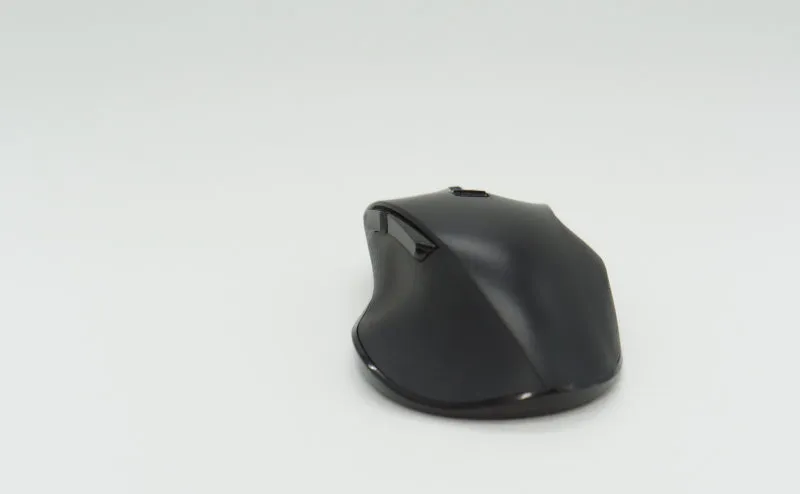
The two things to keep in mind are the Bluetooth-only stability and the modest software. If you live in Excel horizontal scrolling or lean on custom gestures, you’ll be happier in the long run with the Logicool MX line.