

Contents22
- The short answer — for FPS and fighters, 144Hz / 1ms / IPS is the realistic floor
- The terminology — Hz, ms, FreeSync
- Refresh rate — 144Hz is the standard; in 2026, 240Hz is in reach
- Moving from 60Hz to 144Hz is the big jump
- 240Hz and beyond depends on genre and rig
- Mind the cable spec too
- Response time — aim around GtG 1ms
- Catalog values and measured values can diverge
- How to use the overdrive setting
- Panel type — IPS is the standard, TN is the fastest, OLED is the new option
- IPS — the all-rounder, the default pick
- TN — fastest and cheapest, at the cost of picture quality and viewing angle
- VA — contrast-strong, not a competitive pick
- OLED — the new 2026 option
- FreeSync / G-Sync — on PC, always match to your GPU
- Comparison: 60Hz vs. 144Hz vs. 240Hz+
- Recommended monitors — by use case
- Speed first — TN 144Hz
- Balanced — IPS 144Hz
- Picture quality first — OLED 240Hz (the 2026 option)
- FAQ
- Wrapping up
2026 update: ported from the old VuePress blog. The framework — refresh rate, response time, and panel — still holds, but as of 2026, 240Hz has dropped into the mainstream and OLED gaming monitors land around the 100,000-yen mark. Specific product links need to be verified and swapped to current models before this goes live.
You want to refresh your monitor to match a PS5 or a recent PC title. But the spec sheet lines up “Hz,” “ms,” “IPS,” and “G-Sync,” and it is hard to tell which of them you should actually weigh.
This piece frames a gaming monitor on four axes — refresh rate, response time, panel, and sync tech. By the end, the shape of the one model that fits your genre and budget should be visible.
The short answer — for FPS and fighters, 144Hz / 1ms / IPS is the realistic floor
Short answer: if you play speed-driven genres (FPS, fighters, competitive action), four things to check before you buy.
- Refresh rate: 144Hz or higher (consoles, PS5 included, cap at 120Hz in most cases)
- Response time: around GtG 1ms
- Panel: IPS (balanced) / TN (fastest, cheapest) / OLED (top tier, expensive)
- Sync tech: FreeSync (AMD) or G-Sync Compatible (NVIDIA)
Conversely, if you mostly play RPGs, simulations, or turn-based games, those numbers are overspec. A standard work-grade IPS monitor at 60Hz looks plenty good.
Key points
- Refresh rate 144Hz or higher (in 2026, 240Hz is the mainstream tier)
- Response time aim for GtG 1ms
- Panels: IPS is the all-rounder, TN for raw speed, OLED if picture quality comes first
- On PC, always match FreeSync / G-Sync to your GPU
The terminology — Hz, ms, FreeSync
Short answer: the three terms on every spec sheet measure different things — smoothness, ghosting, and tearing prevention.
Gaming monitor terms
- Hz (refresh rate): how many times per second the screen is redrawn. At 144Hz, the panel updates 144 times a second. Higher numbers feel smoother and let you catch the opponent’s movement a moment sooner.
- ms (response time / GtG): the time a pixel takes to switch from one mid-gray to another (“Gray to Gray”). The closer to 1ms, the less the trailing image (ghosting). Catalog figures and measured values can diverge.
- FreeSync / G-Sync (sync tech): a mechanism that aligns the GPU’s draw timing with the monitor’s refresh timing, so tearing (horizontal misalignment) and stuttering get suppressed. FreeSync came from AMD, G-Sync from NVIDIA, but the two have grown largely cross-compatible in recent years.
Refresh rate — 144Hz is the standard; in 2026, 240Hz is in reach
Short answer: for FPS and fighters, 144Hz is the realistic floor. In 2026, the 240Hz class has dropped to the 30,000–50,000-yen range, which makes it good value.
The reason is that a higher refresh rate carries more information per second, which shortens the lag between an opponent’s move and your reaction. The jump from 60Hz to 144Hz is clearly noticeable to most people; the jump from 144Hz to 240Hz mostly matters to competitive players.
Moving from 60Hz to 144Hz is the big jump
Everyday monitors are almost all 60Hz. Lifting that to 144Hz, you feel the difference starting with the mouse cursor. In FPS, an “I saw where they were” window opens wider when you whip the view around.
240Hz and beyond depends on genre and rig
To actually feel a 240Hz or 360Hz panel, the GPU has to push frames at that rate reliably. PS5 and Xbox Series X cap at 120Hz, so if console is your main platform, 144Hz is where the curve flattens.
Mind the cable spec too
High refresh rates depend on the video cable spec. Driving 4K at 144Hz needs DisplayPort 1.4 or higher, or HDMI 2.1. An older HDMI 2.0 cable lacks the bandwidth and can drop back to 60Hz.
Response time — aim around GtG 1ms
Short answer: for speed-driven genres, pick around GtG 1ms. Slower than that and ghosting shows up in fast-moving scenes.
The reason is that a slow response leaves the previous frame’s pixels lingering into the next, smearing the opponent’s silhouette. In FPS, ghosting delays the read on which way the other player is facing.

Catalog values and measured values can diverge
A “1ms (GtG)” spec can come back with measured values that vary by more than 2x depending on the mode. Cross-checking with measurements from review sites is the safe play.
How to use the overdrive setting
Most gaming monitors have an overdrive (OD) setting that forces faster pixel transitions. Crank it too far and you get reverse ghosting (overshoot), so starting from the middle preset that ships with the panel is the realistic move.
Panel type — IPS is the standard, TN is the fastest, OLED is the new option
Short answer: as of 2026, the picks are IPS (balanced), TN (fastest and cheapest), and OLED (picture quality first).
The reason is that panel type changes the balance of response time, viewing angle, color, and price by a lot. Even at the same 144Hz and 1ms, what you see and what you pay can differ sharply.
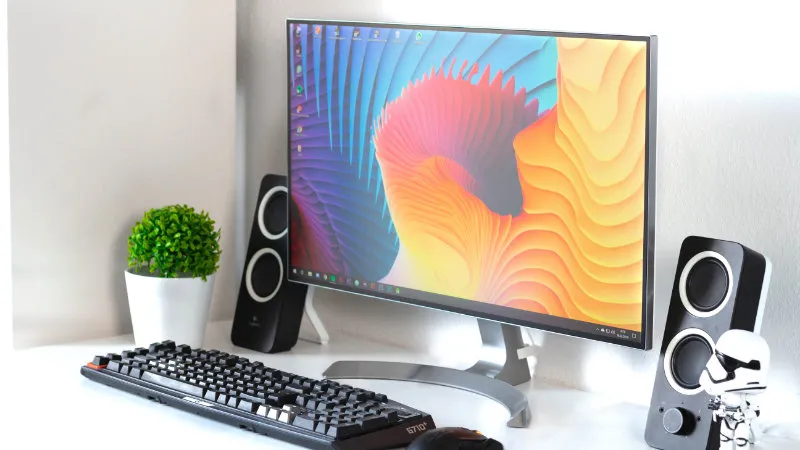
IPS — the all-rounder, the default pick
Strong on color vibrancy and viewing angle. Response time used to lag behind TN, but gaming-grade IPS (Fast IPS and similar) has closed in on the 1ms class and is now practical for FPS. The main price band is 30,000–70,000 yen.
TN — fastest and cheapest, at the cost of picture quality and viewing angle
Still in the top tier for response time and the lowest on price. The trade-off is dull colors and a shift in color when viewed from the side. Best for fixed solo play at the center of the desk.
VA — contrast-strong, not a competitive pick
Deep blacks make it a good fit for film and single-player RPGs. But response time trails IPS and TN, and dark-scene ghosting (black smear) is easier to spot, so it falls off the list for competitive play.
OLED — the new 2026 option
Gaming monitors with QD-OLED or WOLED panels have become widely available. Response time on the order of 0.03ms and effectively infinite contrast put picture quality well beyond LCDs. The main price band is 100,000–200,000 yen. Burn-in risk has not gone away, but more models now ship with serious warranty terms.
FreeSync / G-Sync — on PC, always match to your GPU
Short answer: if you play on PC, pick a monitor with the sync tech that matches your GPU brand.
The reason is that when the GPU’s draw rate and the monitor’s refresh rate fall out of step, tearing (horizontal screen splits) and stuttering show up. Sync tech absorbs that automatically.
- NVIDIA GPU primary: G-Sync or G-Sync Compatible
- AMD GPU primary: FreeSync or FreeSync Premium
- Dual-support panels: more recent models support both, which is the safer pick if you might switch GPUs later
PS5 and Xbox support HDMI VRR, which is compatible with the FreeSync family.
Comparison: 60Hz vs. 144Hz vs. 240Hz+
| Aspect | 60Hz (general use) | 144Hz (gaming standard) | 240Hz+ (competitive / latest gen) |
|---|---|---|---|
| Target genre | RPG / office work | FPS / fighters in general | Competitive FPS / esports |
| Smoothness | Standard | Clearly smoother | Small gap vs. 144Hz in practice |
| GPU needed | Integrated GPU is fine | Mid-range or above | High-end GPU recommended |
| PS5 / Xbox fit | Fits | 120Hz output gets real benefit | Overspec |
| Price band (24-inch) | 10,000–20,000 yen | 30,000–50,000 yen | 50,000–80,000 yen |
| Panel options | Mainly IPS / VA | IPS / TN / VA | IPS / OLED |
Recommended monitors — by use case
The picks below were chosen at the time of writing (2021). In 2026, verify the successor or an equivalent in the same price band before linking.
Speed first — TN 144Hz
For competitive players who put response time above everything. Compromises on color in exchange for price and speed.
| Item | Spec |
|---|---|
| Size | 23.6 inches |
| Panel | TN |
| Resolution | Full HD |
| Surface | Non-glossy |
| Response time | GtG 1ms |
| Refresh rate | 144Hz |
| Sync tech | FreeSync |
| VESA mount | Yes |
Balanced — IPS 144Hz
For a multi-genre player who runs both FPS and RPG. Holds onto viewing angle and color vibrancy while keeping response time in the practical range.
| Item | Spec |
|---|---|
| Size | 23.8 inches |
| Panel | IPS |
| Resolution | Full HD |
| Surface | Non-glossy |
| Response time | GtG 1ms |
| Refresh rate | 144Hz |
| Sync tech | FreeSync / G-Sync Compatible |
| VESA mount | Yes |
Picture quality first — OLED 240Hz (the 2026 option)
The upper tier, worth considering if the budget allows. Pairs picture quality with response time. WQHD or higher resolution is the realistic pairing.
FAQ
Q. Do 144Hz or 240Hz help on PS5? A. PS5 caps at 4K 120Hz or Full HD 120Hz over HDMI 2.1. It can’t output 144Hz or higher, but a 120Hz-capable monitor still pays off on supported titles. A model with VRR (HDMI VRR) also smooths out the stutter when the frame rate fluctuates.
Q. 4K at 144Hz or Full HD at 240Hz — which one? A. Pick by genre. If frame rate maps directly to win rate (competitive FPS), Full HD 240Hz. If story or action is the focus and you want image detail, 4K 144Hz. If you want both, WQHD at 165–240Hz is the middle path.
Q. Can I feel the difference between 1ms and 0.5ms response? A. Most people cannot. Cable spec, GPU output frame rate, and the monitor’s internal processing delay (input lag) move the felt difference more than the pixel transition does.
Q. Can a gaming monitor double for everyday use (work, browsing)? A. With no trouble. The smoothness of 144Hz is even felt while scrolling. That said, if you need accurate color for photo or video work, a calibration-capable dedicated monitor is a better fit.
Wrapping up
Picking a gaming monitor gets easier when you frame it on four axes: refresh rate, response time, panel, and sync tech.
For FPS and fighters, 144Hz / GtG 1ms / IPS / FreeSync or G-Sync Compatible is the realistic floor. In 2026, the 240Hz class has dropped into the mainstream, and if picture quality is the priority, an OLED gaming monitor is the upper-tier option.
If your genres are mostly RPG or simulation, those numbers are overspec. Buying to fit the actual use case ends up being the most cost-efficient call.