

Contents12
- The short answer — almost any model from the last five years works, but check three things
- Where you write changes most of the spec sheet
- Writing at home: weight and battery don’t matter
- Writing on the move: 1.5 kg or lighter, 12+ hours of battery
- Always confirm the keyboard is JIS (Japanese) layout
- Screen 14 inches or more, with an external monitor if you can
- Picks by use case
- Writing at home — a 15-inch entry laptop
- Writing on the move — 1.5 kg, 14-inch class
- Comparison: home vs on-the-go laptop
- FAQ
- Wrapping up
2026 update: ported from the old VuePress blog. Product picks are anchored to 2021 models, so the affiliate links need to be re-checked against the current line-up. The framework — what to look at when choosing — still holds.
The first thing that trips people up when starting a blog is: which laptop should I buy? Writing only on a phone gets old fast, and using a company-issued machine for personal work is a non-starter.
This piece walks through how to pick a laptop dedicated to blogging, using a single axis: do you write at home, or do you write on the move? By the end you should have a clear shape of the one machine that fits you.
The short answer — almost any model from the last five years works, but check three things
For blogging, you do not need a high-end CPU or a lot of RAM. Any laptop released in the last five years (counting from 2021) has more than enough headroom for writing.
Three things to confirm before you buy:
- Where you write: mostly at home, or also on the move — this changes the weight and battery requirements
- Keyboard layout: JIS (Japanese) layout — an English layout makes IME toggling clumsy
- Screen size: 14 inches or more — anything under 12 inches makes long-form writing painful
Put differently: if those three boxes are ticked, a 50,000-yen entry laptop is plenty to write a blog on.
Where you write changes most of the spec sheet
Where you write decides about 90% of the choice.
The reason is simple: carrying the laptop around adds two hard constraints — weight and battery life — and both push the price up. If you stay at home, the constraints are loose, and the same budget buys you more performance.
Writing at home: weight and battery don’t matter
If home is the main writing spot, you can ignore both weight and battery life.
That frees the budget for screen size and CPU. A 15-inch class with a Core i3 or i5 lands in the 50,000–70,000-yen range, which is a comfortable spot.
Writing on the move: 1.5 kg or lighter, 12+ hours of battery
On the move, weight and battery feed directly back into how much you actually get done.
Rough targets:
- Weight: 1.5 kg or under (lighter still if you walk a lot)
- Battery life: 12 hours or more on the spec sheet
- Screen size: 14 inches (the sweet spot between portability and working space)
Light models tend to cost 10,000–20,000 yen more than a heavier laptop with equivalent specs.
Always confirm the keyboard is JIS (Japanese) layout
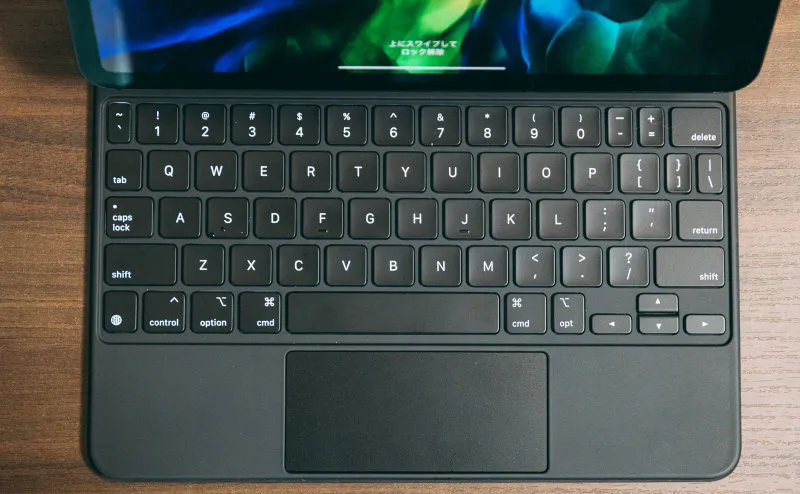
Cheap laptops sometimes ship with US-layout keyboards mixed in. Confirm the layout before you order.
A US layout has no 全角/半角 key, which makes IME toggling a constant small friction. For long writing sessions it adds up.
How to check:
- The spec sheet says “JIS” or “日本語キーボード”
- The product photo shows a 全角/半角 key in the top-left of the keyboard
Screen 14 inches or more, with an external monitor if you can
Anything below 12 inches gets painful for long-form writing. Set 14 inches as the floor.
You end up juggling reference material, a preview pane, and the draft itself, often at the same time. On a cramped screen, just switching windows eats real minutes.
If home is the main writing spot, a laptop plus an external monitor is the single biggest jump in feel. Reference material stays open on one screen, and the draft has room to breathe.
Picks by use case
The models below were chosen in 2021. In 2026, verify the successor or an equivalent in the same price band before linking.
Writing at home — a 15-inch entry laptop
A 15-inch entry model in the 50,000-yen range is the first pick. A Core i3 is enough — for writing work, you won’t feel the performance ceiling.
Writing on the move — 1.5 kg, 14-inch class
Portability first. Around 1.5 kg, 14-inch screen, with a long battery life on the spec sheet.
Comparison: home vs on-the-go laptop
| Aspect | Home | On the move |
|---|---|---|
| Weight | Doesn’t matter | 1.5 kg or under |
| Battery | Short is fine | 12 hours or more |
| Screen size | 15 inches preferred | 14 inches |
| Price range | 50,000–70,000 yen | 70,000–100,000 yen |
| External monitor | Adds real productivity | Not needed (you won’t carry one) |
FAQ
Q. Can I blog on an iPad Pro? A. With a recent iPad Pro and an external keyboard, it’s doable. But once you account for the WordPress admin and image editing, a laptop is the safer long-term call.
Q. Mac or Windows? A. For blog writing alone, either is fine. Pick the OS you already use day to day — the smaller the context switch, the better.
Q. How much RAM do I need? A. 4 GB will technically run, but a browser with many tabs open starts swapping and things slow down. 8 GB is the safer floor.
Q. SSD or HDD? A. SSD, no contest. HDD models are slow to boot and slow to launch apps, and that drag wears on you daily.
Wrapping up
For a blogging laptop, almost any model from the last five years will work.
The decisions are three: home or on the move, the keyboard layout you actually type on, and a 14-inch-or-larger screen. With those settled, an entry-class machine in the 50,000–70,000-yen range carries a blog just fine.
If there’s room in the budget for an external monitor, the home-based setup steps up a level on day-to-day productivity.