
Contents17
- The verdict — “can + anti-static brush” is fast and cheap
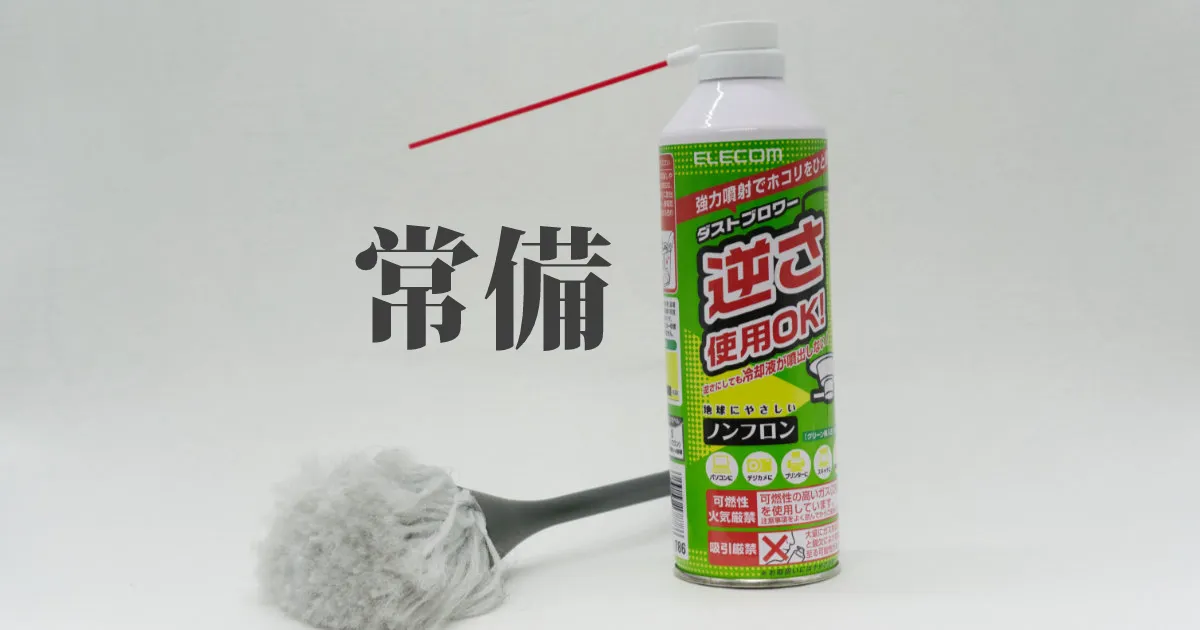
- Elecom Air Duster ECO — the package
- Elecom Air Duster ECO — what worked
- Strong, immediate airflow
- Cheap enough to use freely
- Elecom Air Duster ECO — what didn’t
- The gas leaves a smell
- Running cost piles up
- Sanwa Supply anti-static cleaning brush — the package
- Sanwa Supply anti-static cleaning brush — what worked
- Confidence near sensitive boards
- The small brush reaches narrow spots
- Sanwa Supply anti-static cleaning brush — what didn’t
- The large brush is bigger than I want inside a case
- Comparison: can + anti-static brush vs other cleaning methods
- FAQ
- Verdict — a “reasonably cheap, reasonably safe” combination
2026 update: Ported from the old VuePress blog. The Elecom Air Duster ECO and the Sanwa Supply anti-static cleaning brush are both still current products, though prices and model numbers may have shifted. The review angles here (the strengths and weaknesses of the can, where the anti-static brush helps, and how to choose between cans and an electric duster) still hold up.
Dust inside a PC or around a keyboard, left alone, eventually clogs fans, drives thermal throttling, and makes key presses catch. A quick clean once a month makes a real difference to how long the hardware lasts.
This is a review of the Elecom Air Duster ECO and the Sanwa Supply anti-static cleaning brush — a combination I have been using for several years — compared against the three obvious alternatives: cans alone, electric dusters, and alcohol + cotton swabs.
The verdict — “can + anti-static brush” is fast and cheap
Short answer: for a light clean once or twice a month, blowing the big dust away with an air-duster can and brushing the detail with an anti-static brush is the best time-to-result trade-off. An electric duster makes more sense if you clean weekly.
The reasoning is straightforward. A can costs around 1,000 yen, so the entry cost is low, and the peak airflow often beats an electric duster. The anti-static brush lets you touch parts that can be damaged by static — CPU, memory, GPU PCBs — without worrying about it.
You may want a different setup if any of these apply:
- You clean more than once a week: the per-can cost starts to add up. An electric duster is cheaper over time
- You are sensitive to the gas smell or the room is hard to ventilate: switch to electric, or do it outside
- The grime is greasy — oil, fingerprints, tar: air and bristles will not move it. You need anhydrous ethanol and cotton swabs alongside
Elecom Air Duster ECO — the package
Short answer: a standard spray-can size, with a red nozzle and a cap in the box.
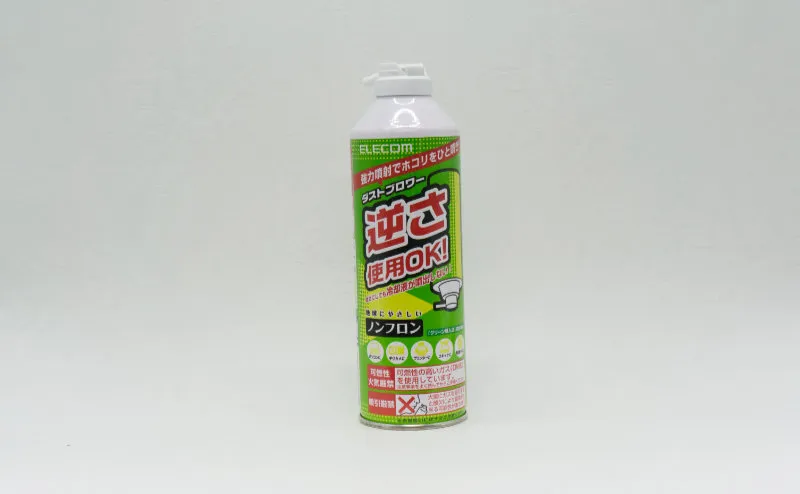
I use it on the gaps between keys, inside a PC case, and at the vents of a laptop — anywhere a brush will not reach. At a roughly monthly cadence, one can lasts me about six months.
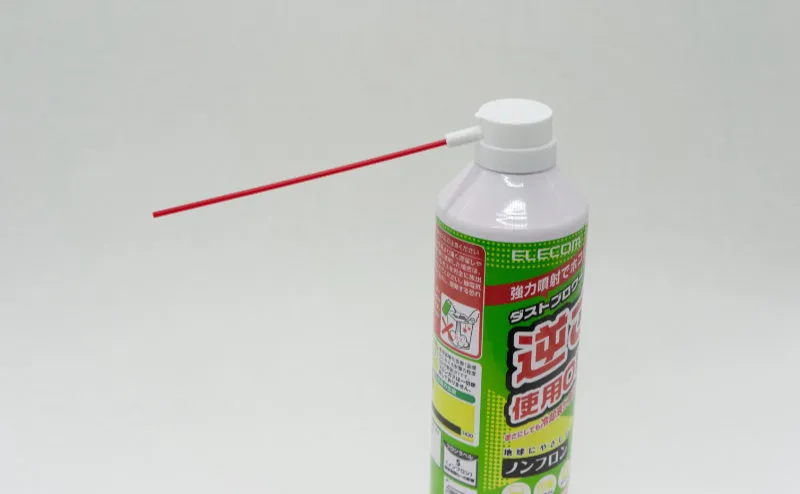
The red narrow nozzle ships taped to the can’s label. It snaps on when you need to focus the airflow into a tight gap.
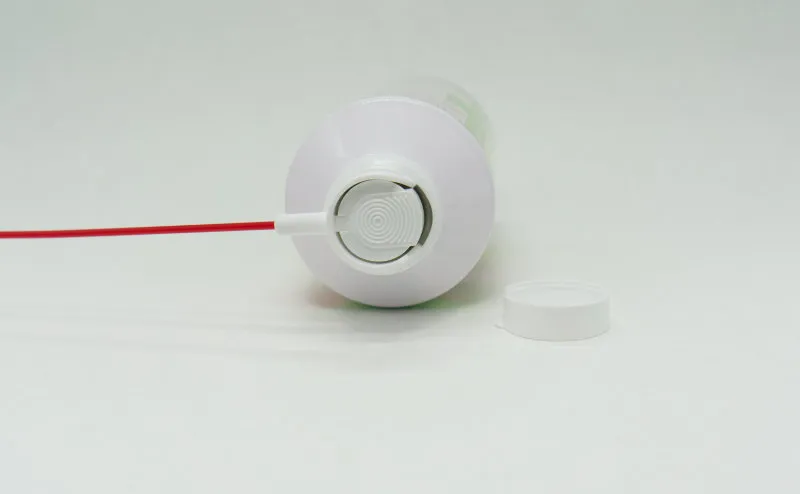
A clear cap fits over the trigger button to prevent accidental firing inside a bag or drawer.
Elecom Air Duster ECO — what worked
Short answer: strong airflow, and a price low enough that you do not hesitate to use it.
Strong, immediate airflow
Pull the trigger and the air comes out in a single hard burst. Dust packed in keyboard gaps or around case fans clears in one short blast at close range.
I also have an electric duster, and on peak airflow alone, the can still feels stronger (depends on model and remaining gas).
Cheap enough to use freely
At roughly 1,000 yen a can, I can blow away a stray clump of dust without thinking about it. Not having to mentally save it up “for a proper clean later” matters more than it sounds.
Lower friction to start cleaning → higher cleaning frequency → longer hardware life. That feedback loop is the real value.
Elecom Air Duster ECO — what didn’t
Short answer: the gas smell lingers, and a single-use can means a running cost.
The gas leaves a smell
The propellant has a smell that hangs in the room for a while after use. Short bursts of one or two seconds are unnoticeable, but five seconds or more in a row and the smell builds up.
In a well-ventilated room it is a non-issue. Late at night in an apartment building, full-power cleaning is harder to justify.
Running cost piles up
A can is one-and-done. Once a month, six months a can — manageable. Once a week works out to four to six cans a year. At 1,000 yen each, that is 4,000 to 6,000 yen annually. An electric duster (around 10,000 yen) pays for itself in roughly two years.
I am still using cans, but if you clean heavily, the electric option is worth considering.
Sanwa Supply anti-static cleaning brush — the package
Short answer: a brush with anti-static construction, with a large head on one end and a small head on the other. Often sold in packs of three.
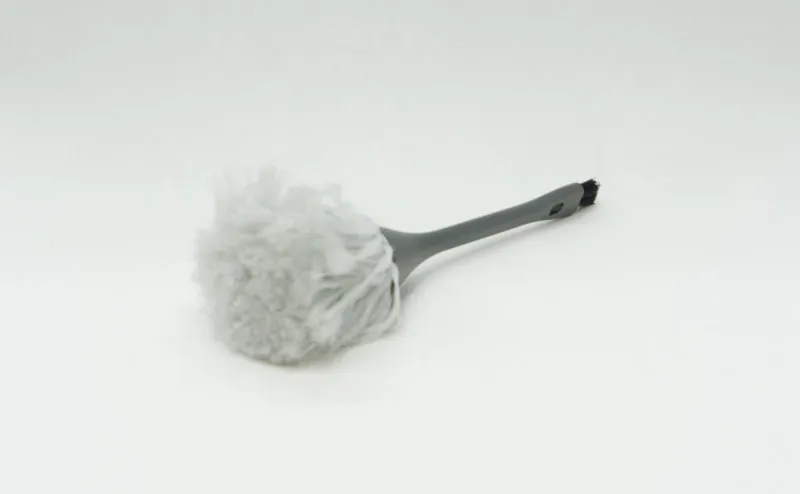
I use it to sweep dust off the inside of a PC. The handle is said to contain anti-static material that bleeds off any charge that builds up.
CPU, memory, and GPU boards can be killed by static. On parts where you would normally hesitate to brush with a synthetic-fibre brush, an anti-static brush gives you enough confidence to actually do the work. It saves you from the folk-remedy approach of “strip down and build the PC in the bathroom” (only half-joking).
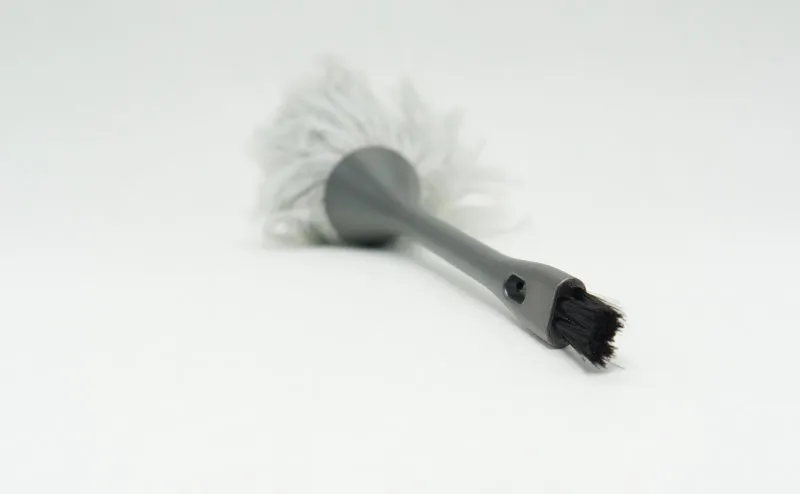
The opposite end has a smaller brush for narrow spots — between heatsink fins, behind the I/O shield, around the base of SATA connectors. Anywhere the large brush cannot fit, this end takes over.
Sanwa Supply anti-static cleaning brush — what worked
Short answer: the anti-static design makes it easier to touch boards, and the small-brush end reaches into places the large one cannot.
Confidence near sensitive boards
You hear about bent CPU pins and broken memory; you hear less about static damage, but it is not rare either. An anti-static brush takes the “should I really be touching this?” hesitation off the table.
I have no way to measure how much risk it actually removes, but as insurance, it is worth keeping around.
The small brush reaches narrow spots
A PC’s interior is full of gaps too tight for a finger. The small brush is barely thicker than a toothpick, so the bristle tips can reach into heatsink fins and the base of connectors.
It also picks out the wad-of-lint kind of dust that the air-duster can never quite blows free.
Sanwa Supply anti-static cleaning brush — what didn’t
Short answer: the large brush end is a touch oversized.
The large brush is bigger than I want inside a case
Inside a PC case, a brush “a size or two smaller” would be easier to steer. Running it along a row of heatsinks on a motherboard, the bristle tips keep catching on the neighbouring connectors.
For keyboard cleaning the large brush is fine, so it is more a “use it for the right thing” comment than a real complaint.
Comparison: can + anti-static brush vs other cleaning methods
| Angle | Can + anti-static brush (this pairing) | Alcohol + cotton swabs | Air-duster can alone | Electric air duster |
|---|---|---|---|---|
| Initial cost | Around 2,000 yen | From around 500 yen | Around 1,000 yen | From around 10,000 yen |
| Running cost | Disposable cans only | Consumables (swabs, ethanol) | Disposable cans | Electricity only |
| Best on | Dry dust in general | Grease, fingerprints, tar | Dry coarse dust | Dry dust in general |
| Anti-static | Yes (anti-static brush) | No | No | Depends on model |
| Noise | Hiss of the nozzle only | Quiet | Hiss of the nozzle only | Loud motor |
| Environmental load | Discarded cans | Low | Discarded cans | Low (reused for the life of the unit) |
| Gas smell | Yes | Alcohol smell | Yes | None |
An electric air duster saves you the monthly cost of a can, at the price of a 10,000-yen initial outlay and noticeable motor noise. For a once-or-twice-a-month routine, cans are easier overall.
Greasy grime — finger oils on keycaps, tar baked onto fans — does not move with air. You need a separate step with alcohol and cotton swabs, or anhydrous ethanol, to wipe it off.
FAQ
Q. Should I buy an air-duster can or an electric duster? A. If you clean once or twice a month, a can is enough. If you clean weekly, or you have other gear that wants cleaning (cameras, instruments, 3D printers) and you can do it outside, the electric option becomes a candidate. The running-cost break-even point lands around two to three years (depends on use).
Q. I hear electric dusters have weaker airflow than cans. True? A. It depends on the model and how full the can is. A fresh full can hits a higher peak airflow, but as you use it, evaporative cooling chills the can and the airflow tails off. An electric duster keeps a steady output, so for long cleaning sessions it can be the easier tool.
Q. Do anti-static brushes actually stop static? A. Not completely. They are designed to bleed off charge through the handle material, but they are not a guarantee. Pair them with the basics: touch a grounded metal surface to discharge yourself before handling boards, and avoid cleaning during dry mid-winter days.
Q. If I blow air into a running PC, will it spin the fans hard enough to damage them? A. Spinning a fan past its normal speed with airflow can wear the bearing. The standard trick is to hold the fan still — with a finger, or the brush handle — before you fire the duster. Do the same for CPU-cooler fans.
Verdict — a “reasonably cheap, reasonably safe” combination
Short answer: for a light monthly clean, the can + anti-static brush combination hits the right balance of time, cost, and safety. Hard to beat as a default.
My internal-cleaning routine has settled into this:
- Blow the big dust away with the air-duster can (hold the fans still with a finger)
- Sweep what’s left off with the large brush
- Finish into heatsink fins and around connectors with the small brush
- Wipe greasy or fingerprinted spots with anhydrous ethanol on a cotton swab
Do this every month and the once-a-year deep clean comes around to “the inside isn’t really that dirty” — which is exactly the state you want.
When cleaning frequency creeps up, move to an electric air duster. When greasy grime starts to dominate, add alcohol to the kit. Layer the tools as the workload grows.